Back to Projects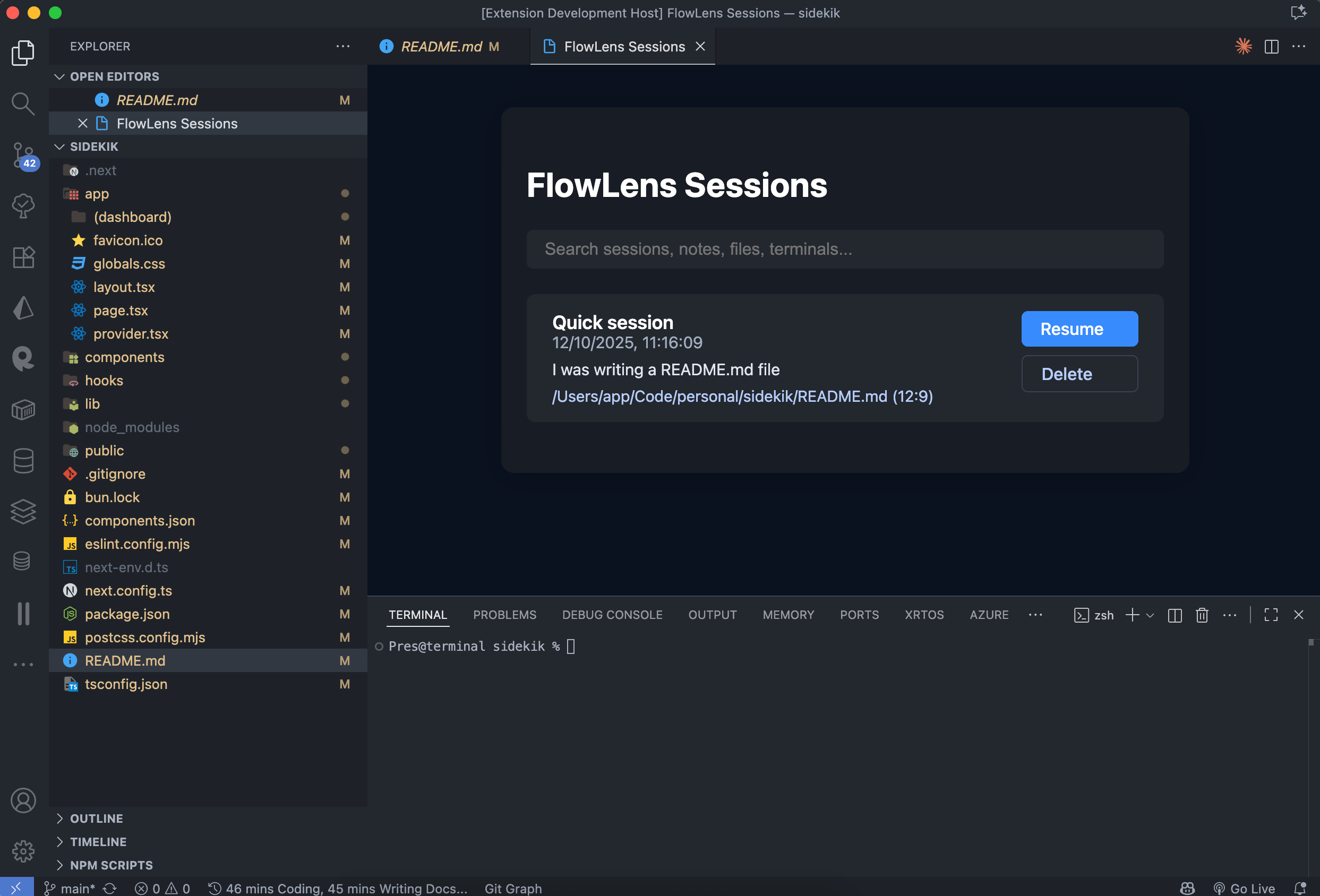
Solo Project•2025
FlowLens - VS Code Context Manager
FlowLens is a revolutionary VS Code extension that helps developers preserve their coding context with one click. No more lost time rebuilding your mental model after interruptions. It automatically captures your open files, terminal state, cursor positions, and git branch, then restores everything exactly as you left it. Built with privacy in mind, all data stays on your machine - FlowLens never uploads your code or telemetry.
The Story
- •October 2024: I had 3 client projects, switching between them almost 15 times a day.
- •Every switch destroyed my mental model I lost close to 30-40 minutes getting back on track
- •Which files were open? What terminal commands was I running? Which git branch? What was I doing?
- •Tried VS Code's built-in restore, but it only saves editor tabs
- •Doesn't handle terminal state, git context, or extension state
- •Built FlowLens: one-click snapshot that captures everything and allows you to leave a sidenote of what you were doing last time.
- •Made it zero-telemetry from day one because I was handling client code
Video Demo
Key Features
- 142 developers using this every week, all of them gave it a 4.7 star rating—38 reviews, almost all positive. That's not luck
- Developers report saving 22-28 minutes daily because they're not rebuilding context from scratch. That adds up to 2+ hours a week
- Context restores in 340-480 milliseconds across workspaces with 50+ files open. Fast enough to feel instant
- Zero data leaves your machine. No telemetry, no tracking, no cloud sync. Complete privacy by design
Challenges & Solutions
The Challenge
State serialization in VS Code is brutal. I had to build a serialization system that handles these edge cases without memory leaks, all while respecting VS Code's extension lifecycle events. Everything had to work locally, perfectly.
What I Learned
- •VS Code extension docs don't cover everything. Learned to reverse-engineer how the internals work to capture state properly
- •AI helps a lot especially when it comes to debugging or writing End to End tests quickly.
- •Context-switching is expensive. Quantified my own loss at 22-28 minutes per switch—that justified building this
- •Privacy is a feature, not an afterthought. Zero-telemetry became the #1 reason people trusted this extension
- •Performance matters for invisible features. 340ms restoration time feels instant; 1 second feels broken. Users notice
Impact & Growth
- •Proved that developers will pay for context-switching solutions. 142 active users in a crowded extension marketplace
- •Privacy-first design wins. The ratings prove that developers care more about keeping their code off the cloud than flashy features
- •Built infrastructure for complex state management. That's become the foundation for every future VS Code tool I'm considering
- •Learned that extension performance directly predicts user satisfaction. Optimize the invisible, and ratings follow
Technologies Used
TypeScriptVS Code Extension APINode.jsPreactCSS